 SoonCase
Retainer hours
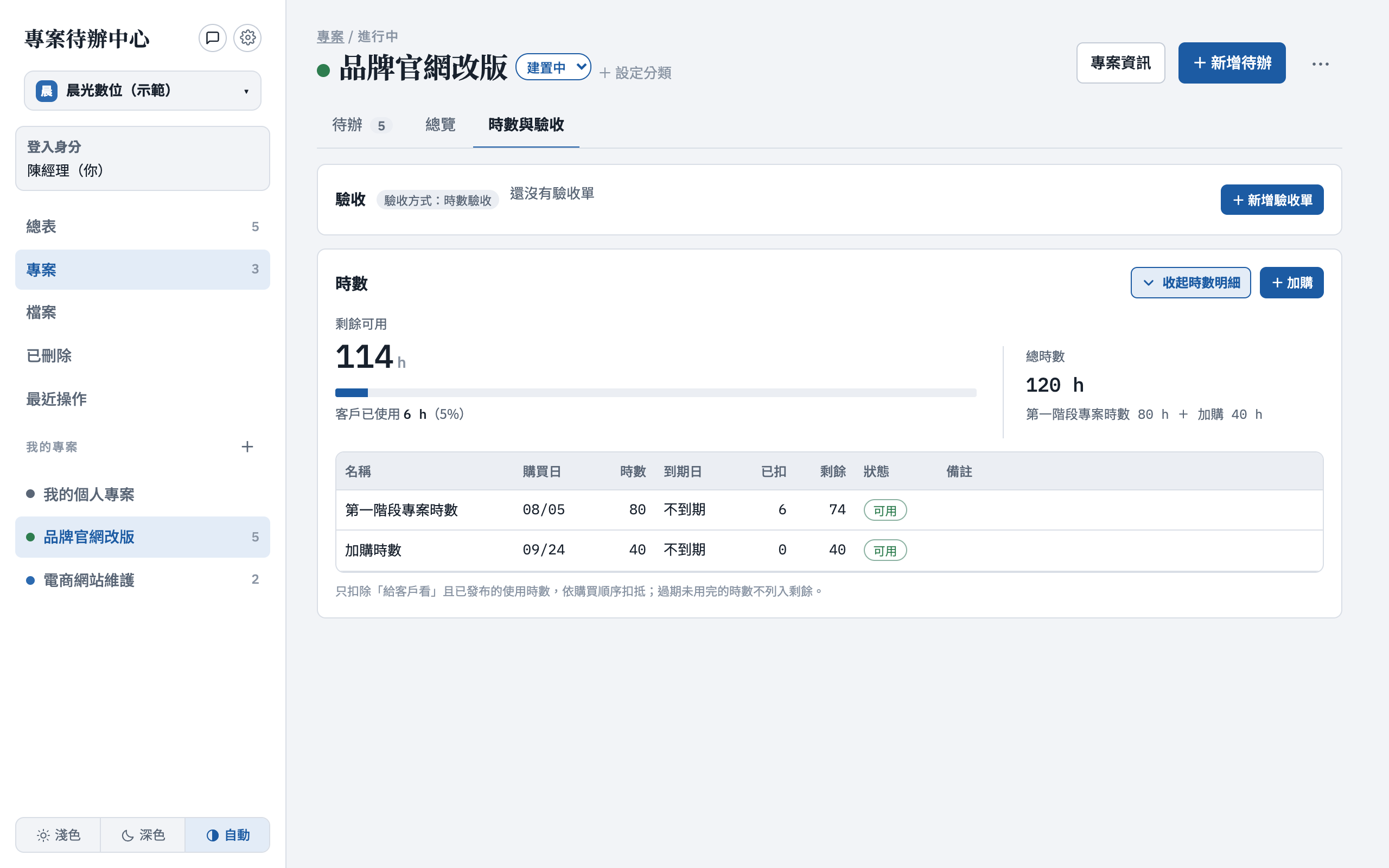
Prepaid hours, drawn down as you go
- Initial and top-up blocks used in order
- Only published, client-visible hours count
- Weekend and after-hours rate multipliers
For e-commerce & web maintenance, IT managed services and system integrators
For service teams that bill by the hour or the person-day. Prepaid hours draw down as work gets done, clients see what’s been used, and every monthly sign-off and invoice is on record.
14-day free trial · No credit card required · Your data is kept if you don't upgrade
The SoonCase app is currently available in Traditional Chinese only
Sound familiar?
Generic to-do apps manage internal work. The part where you bill the client still lives in spreadsheets and group chats.
Answering means adding up timesheet rows one by one.
The client thinks they used fewer hours, and you have no line-by-line record of what was done.
A thumbs-up in a chat counts as approval—until there's a dispute and no record.
The hour block runs out or a milestone ships before anyone remembers to invoice.
Client requests, changes and approvals live in chat history. Handovers mean endless scrolling.
Who spent the most hours on which client last month, which sign-offs and payments are pending—you have to ask.
How it works
One record carries through, so nothing is retyped between timesheets, acceptance reports and invoices.
Flexible by design
One client might have a maintenance retainer plus a fixed-price feature. Each project picks its own pricing model and sign-off method, all in one system.
Retainer hours
Person-days
Fixed price
Pre-launch
Features
Everything you bill the client for is on record, and the team’s daily work lives in the same place.
Sign-off & usage
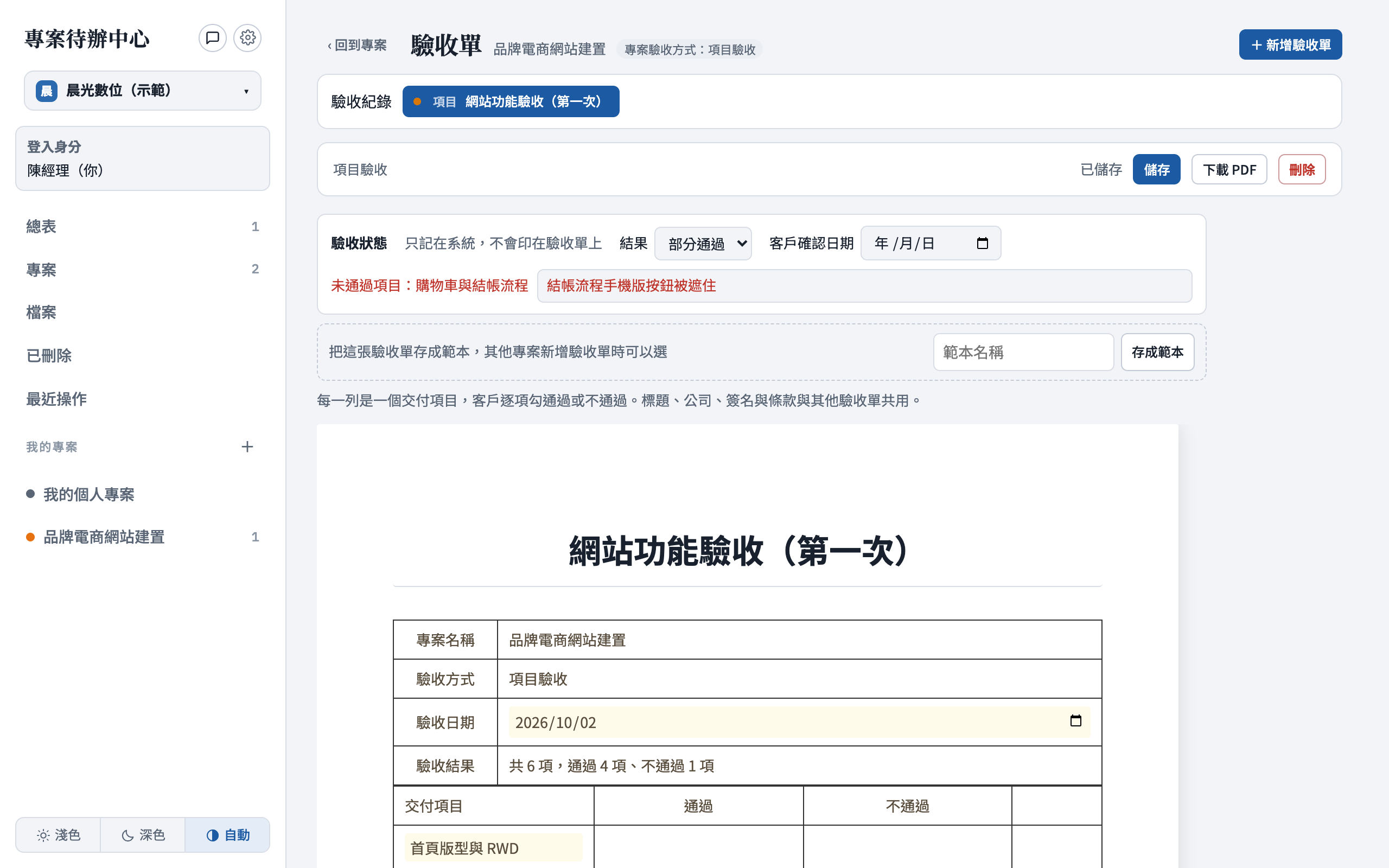
Only published, client-visible hours count, drawn from the initial block and top-ups in purchase order. At month end, the acceptance report pulls in that period’s work and hours.
Dashboard
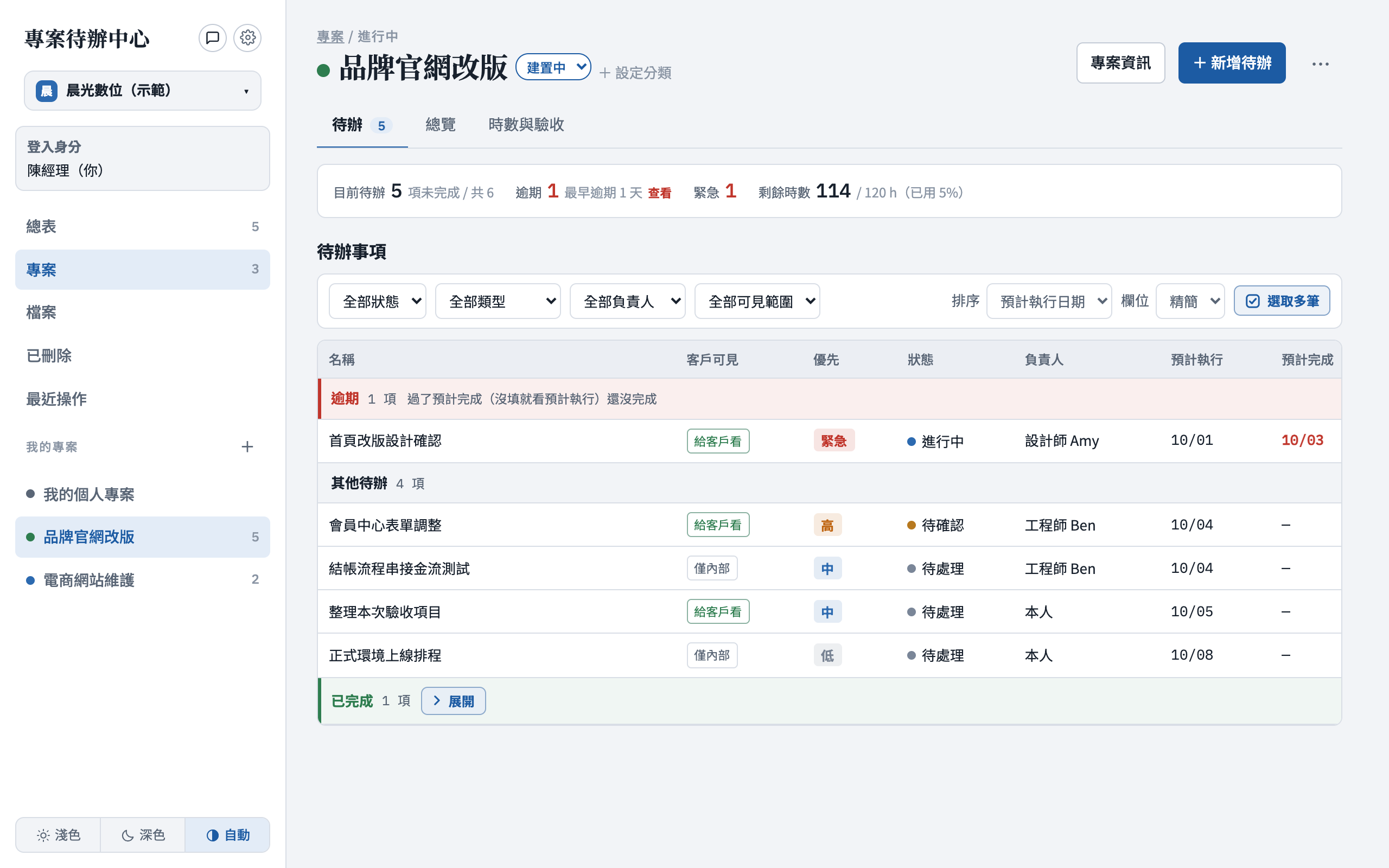
Overdue work comes first and urgent tasks are flagged—no need to open each project to find them.
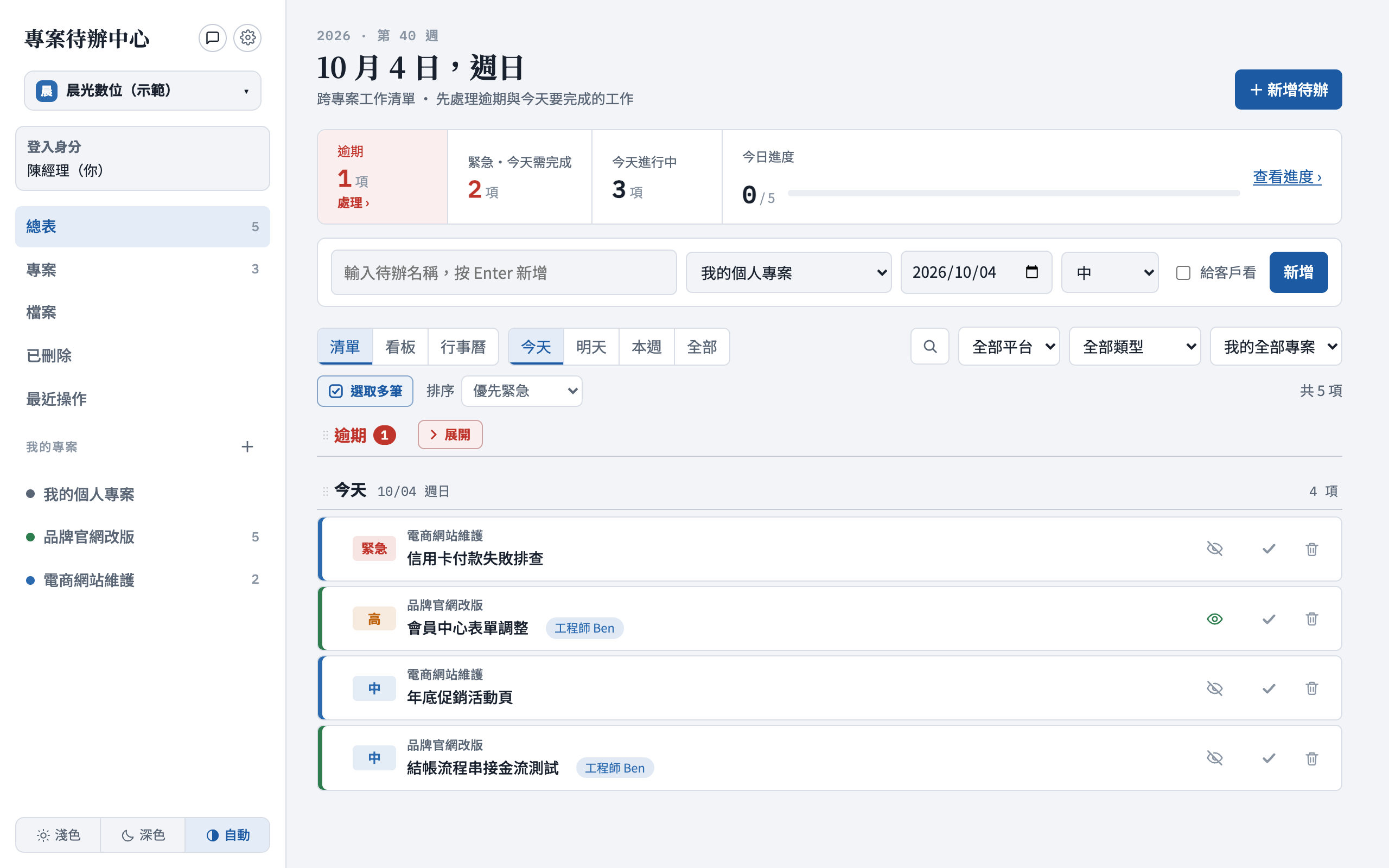
Projects
Mark every task as visible to the client or internal only. Client reports never include your internal notes.
Client portal
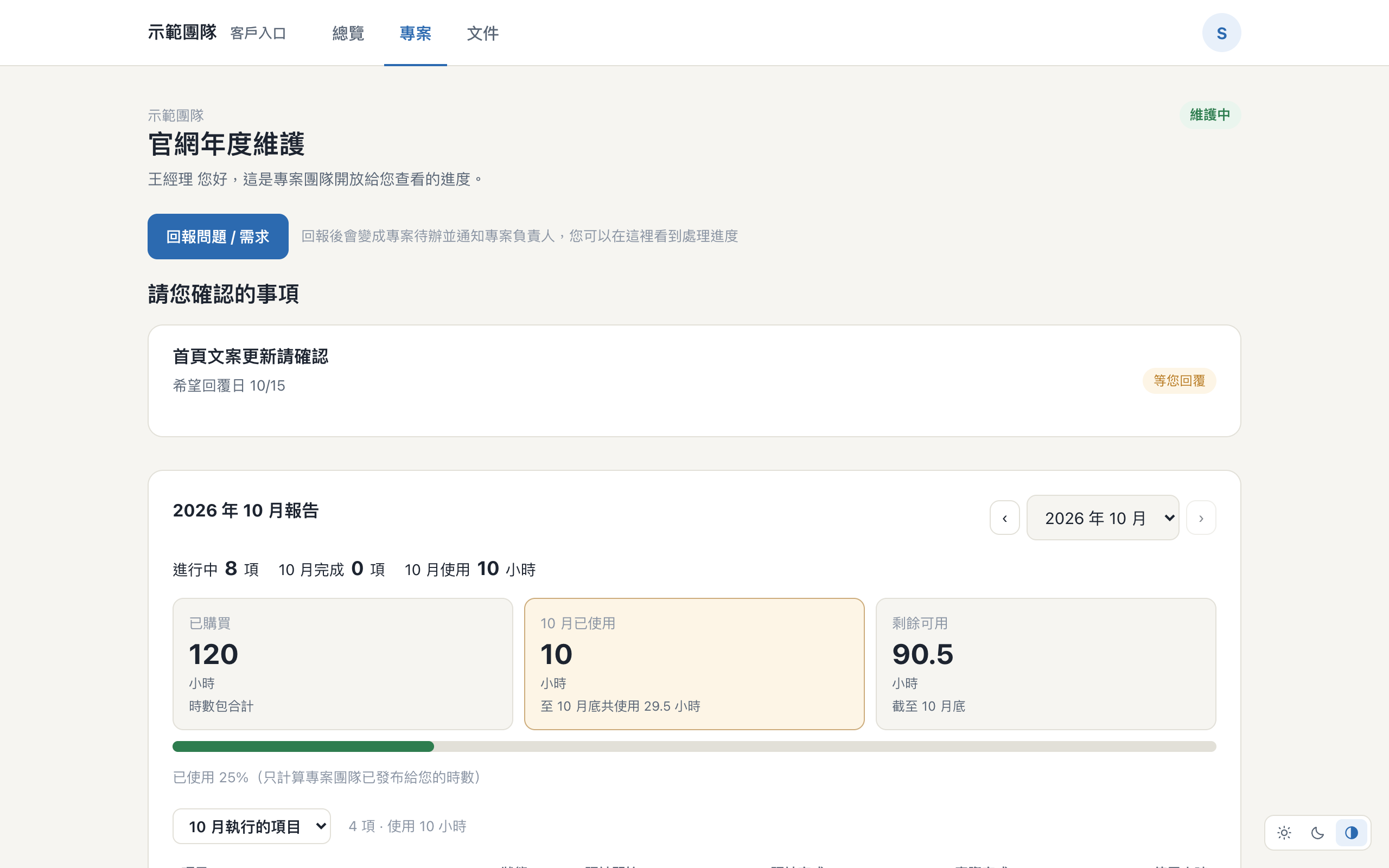
Invite clients to a separate portal. They only ever see what you've marked as visible to them.
Clients check where things stand on their own, instead of asking you.
The work delivered each month and the hours used, ready whenever they look.
Ask a client to confirm something. They reply with text, files or links, and you're notified.
Clients submit issues and requests that land as tasks assigned to the project owner.
Clients review the acceptance report, approve or reject, and sign. Both sides get the result by email.
Internal notes, hours and other clients' projects stay out of the portal.
Industry templates
When you create a workspace, choose an industry to get typical project categories and task types, each category with a default pricing model. They’re only defaults: every project can still switch to hours, person-days or fixed price.
E-commerce & web maintenance
IT managed services
System integration & software
Other industries start with “General” and set up their own categories. Template names appear in Traditional Chinese in the app.
Why SoonCase
Pick your industry and categories are ready. Your first project walks you through pricing, prepaid hours, the client portal and sign-off.
Installments, milestone triggers and seven currencies, including USD, EUR and JPY.
See who spent how many hours on which projects last month, how busy next month looks, and every project’s sign-off and billing status.
Isolated workspaces, two-factor authentication and file scanning, each safeguard covered by automated tests.
Pricing
Every plan starts with a 14-day free trial with all features. Upgrade any time—your data stays where it is.
For freelancers
NT$249/monthNT$208/monthNT$2,490 billed yearly
Start free trialFor studios of 2–4
NT$890/monthNT$742/monthNT$8,900 billed yearly
Start free trialRecommended
For teams of 5–10
Until 12/31 · Regular NT$1,490NT$1,290/monthUntil 12/31 · Regular NT$1,242NT$1,075/monthNT$12,900 billed yearly
For companies of 20–100
Until 12/31 · Regular NT$4,290NT$3,990/monthUntil 12/31 · Regular NT$3,575NT$3,325/monthNT$39,900 billed yearly
| Feature | Personal | Studio | Team | Business |
|---|---|---|---|---|
| Usage and limits | ||||
| Users included | 1 | 3 | 5 | 20 |
| Extra users | — | up to 4+NT$199 per user / month | up to 10+NT$990 per 5 users / month | up to 100+NT$990 per 5 users / month |
| ProjectsAll projects in the workspace, including closed ones | 10 | 20 | 40 | Unlimited |
| StorageTeam and Business add storage with every 5 extra users | 3 GB | 10 GB | 30 GB+ | 100 GB+ |
| Every plan | ||||
| Tasks, projects, list / board / calendar / Gantt | ✓ | ✓ | ✓ | ✓ |
| 3 pricing models, 5 sign-off methodsFixed price, person-days or hours; by deliverable, phase, pre-launch, person-day or hourly | ✓ | ✓ | ✓ | ✓ |
| Client reports and monthly review | ✓ | ✓ | ✓ | ✓ |
| Client portalClients see progress, monthly usage and only what you mark as client-visible | ✓ | ✓ | ✓ | ✓ |
| Client request form templatesTeam and up: file uploads and side-by-side fields | 1 basic | 1 basic | 20, all fields | 20, all fields |
| Team and billing | ||||
| Assign, hand over, delegate, share projects | — | ✓ | ✓ | ✓ |
| Billing plans and remindersInstallments with triggers such as phase approval or hour-block usage | — | ✓ | ✓ | ✓ |
| Organization management | — | Read-only | ✓ | ✓ |
| Require two-factor sign-in for everyone | — | — | ✓ | ✓ |
| Client online sign-off with e-signature | — | — | ✓ | ✓ |
| LINE group notificationsTeam: NT$590/month add-on (NT$490 until 12/31) | — | — | Add-on | ✓ |
| Automated monthly client reports Coming soon | — | — | ✓ | ✓ |
| Management and branding | ||||
| Granular permissionsChoose which tabs and amounts each person sees on a shared project | — | — | ✓ | ✓ |
| Custom email templatesDesign the emails your clients receive, with your logo and colors | — | — | ✓ | ✓ |
| Your own domain for the portal and email Coming soon | — | — | ✓ | ✓ |
| Profit and revenue charts Coming soon | — | — | — | ✓ |
Prices in New Taiwan dollars (NT$). Project limits count all projects in the workspace, including closed ones. Features marked Coming soon are included at no extra cost when they launch.
FAQ
Not yet. This website is in English, but the SoonCase app, its emails and the client portal are currently in Traditional Chinese.
No. Sign up and use every feature free for 14 days. If you don't upgrade when the trial ends, your workspace becomes read-only and your data is kept.
Yes. Any service team that bills clients by the hour, the person-day or a fixed price can use it—IT managed services, system integrators, software houses. Pick an industry template when you create the workspace, or start with “General”. Each project picks fixed-price, person-day or hourly billing, and one of five sign-off methods: by deliverable, by phase, pre-launch, person-day or hourly.
No. The client portal and client reports only show hours you’ve marked as client-visible and published. Internal time and internal notes stay with your team.
Those tools manage a team's internal work. SoonCase adds what you need to bill clients: prepaid hours and person-days drawn down automatically, monthly acceptance reports, billing reminders and a clear line between client-facing and internal information.
Only if you want them to use the client portal. When you open the portal for a project, clients get an invitation email and see only what you've marked as visible to them. You can also keep sending them reports instead.
Prices are in New Taiwan dollars. Online payment is in development. Until then, upgrading to Business takes effect immediately from your workspace settings, and we'll arrange other plan changes with you.
Choose how you bill, add the client’s prepaid hours or person-days, and send your first monthly sign-off. SoonCase walks you through each step.
Start your free trial